


License Activation
How to Register and Activate Software License (4 Simple Steps)
Introduction
After downloading and testing the demo version, you can unlock full features and view unrestricted passwords by registering your license in 4 simple steps below.
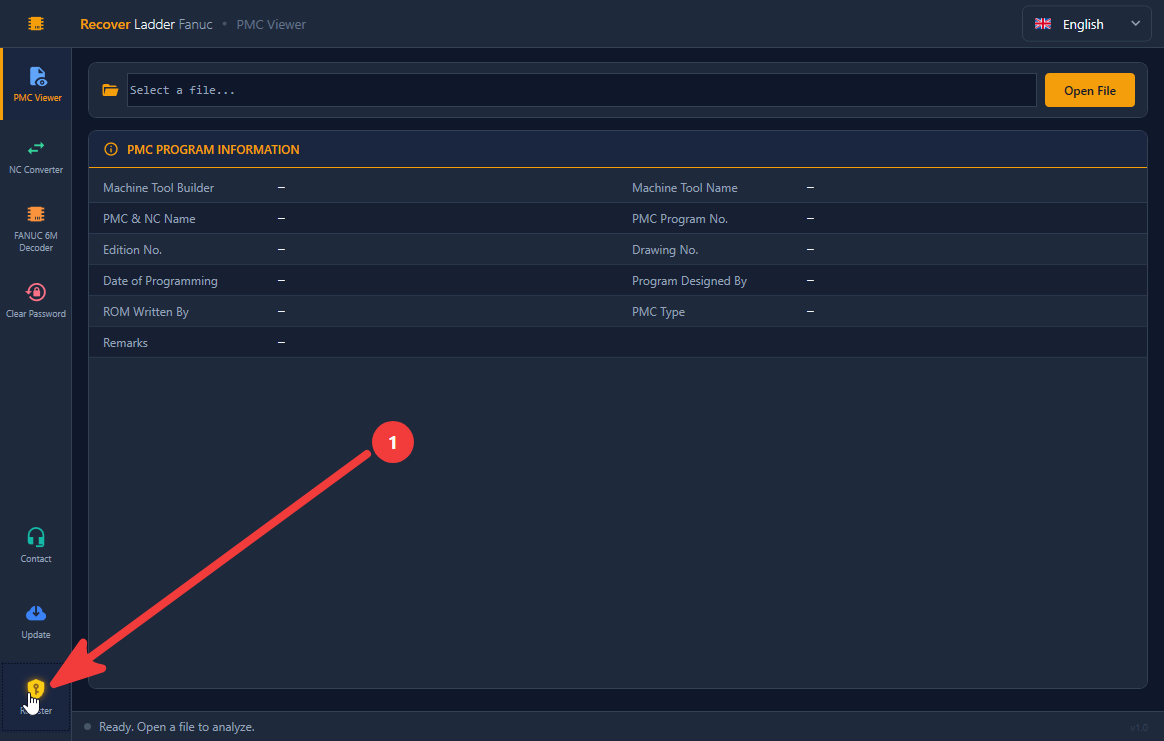
Step 1: Click the yellow "Register" button in the bottom-left corner
- Launch the software on your computer.
- On the dark left sidebar at the bottom, locate the Register button with the yellow key icon (marked with arrow 1 in the illustration).
- Click the Register button to open the Software License Activation window.
Step 2: In the registration window, click "Copy" to copy your Machine Code
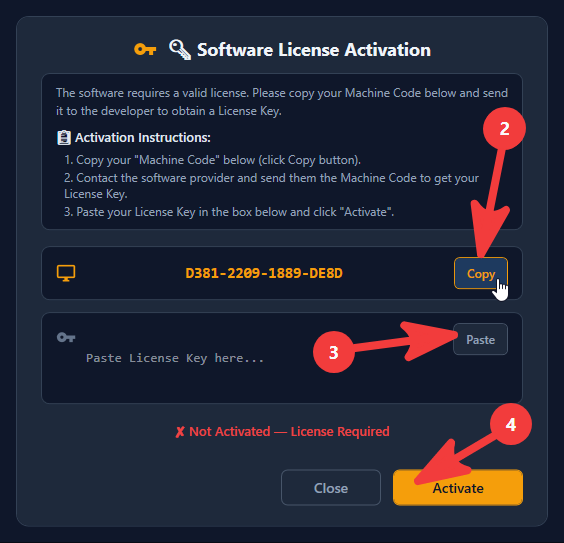
- In the Software License Activation popup:
- Locate your unique hardware identifier in the Machine Code field (e.g.,
D381-2209-1889-DE8D). - Click the Copy button (marked with arrow 2 in the illustration) to copy the code to your clipboard. This prevents any typing errors.
- Locate your unique hardware identifier in the Machine Code field (e.g.,
Step 3: Contact via Email or WhatsApp to receive your License Key
Send the copied Machine Code to our support team via:
- Email: plctoolkits@gmail.com
- WhatsApp: Chat on WhatsApp (or scan the QR code on our Contact page)
Our 24/7 technical team will generate your personalized License Key and deliver it to you promptly.
Step 4: Paste your License Key and click "Activate"
- Return to the Software License Activation window.
- Click the Paste button (marked with arrow 3 in the illustration) to insert the License Key into the input box.
- Click the prominent yellow Activate button (marked with arrow 4 in the illustration) at the bottom right.
- A success notification will appear. You now enjoy permanent, unrestricted access to all software features!
[!NOTE]
- Hardware ID: The Machine Code is tied to your specific PC hardware. If installing on another workstation, please copy that machine's code.
- Remote Assistance: We provide free remote support via UltraViewer / AnyDesk / TeamViewer if you need assistance during activation.